
A weekly planner for iPad: all seven days at a glance
On iPad, Monday through Sunday sit side by side. Each column shows how full the day is, and the red line marks what no longer fits.

For iPhone and iPad. Your first 30 tasks are free. After that, unlock Weekline Pro once. No subscription, no account.
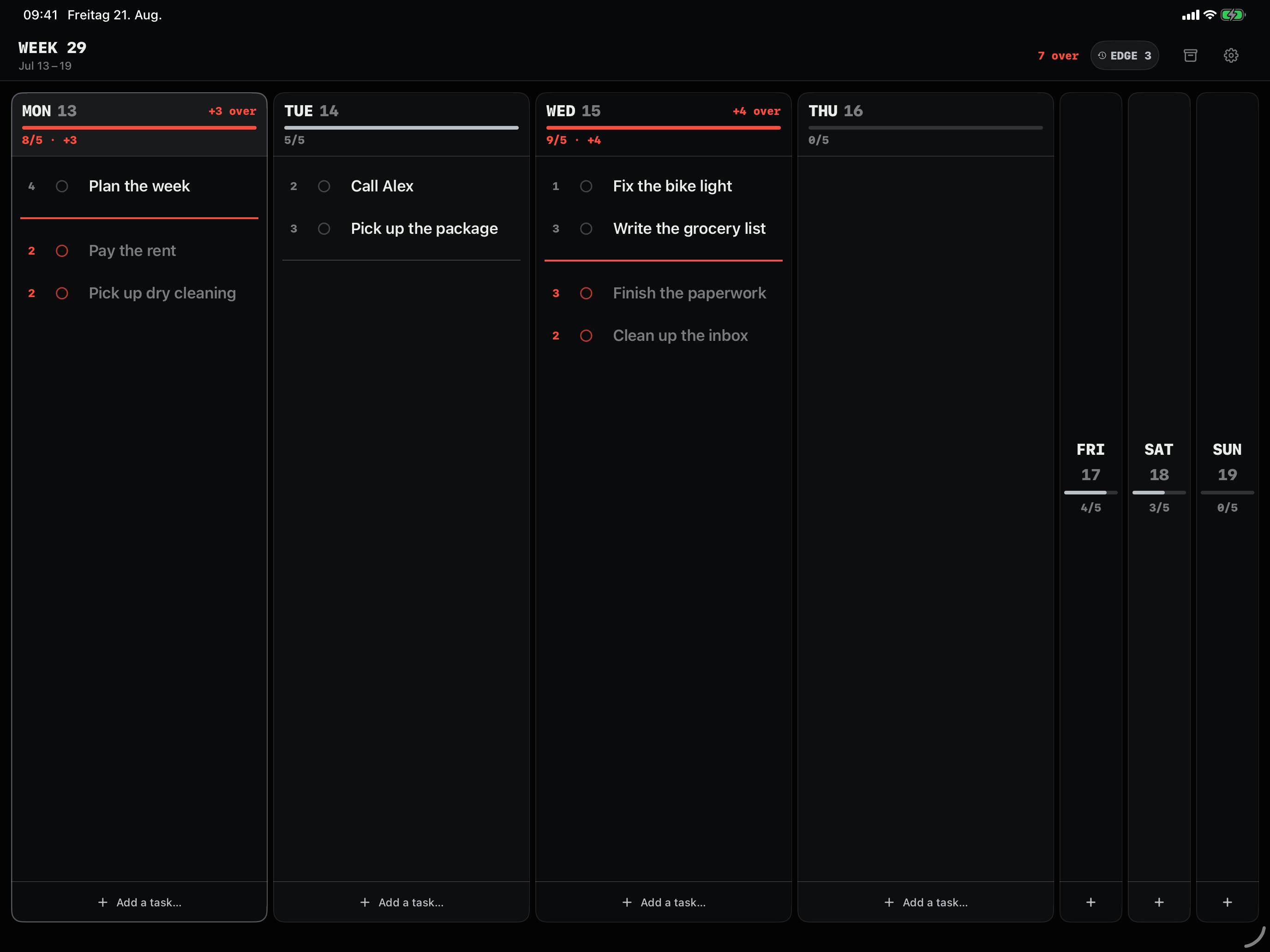
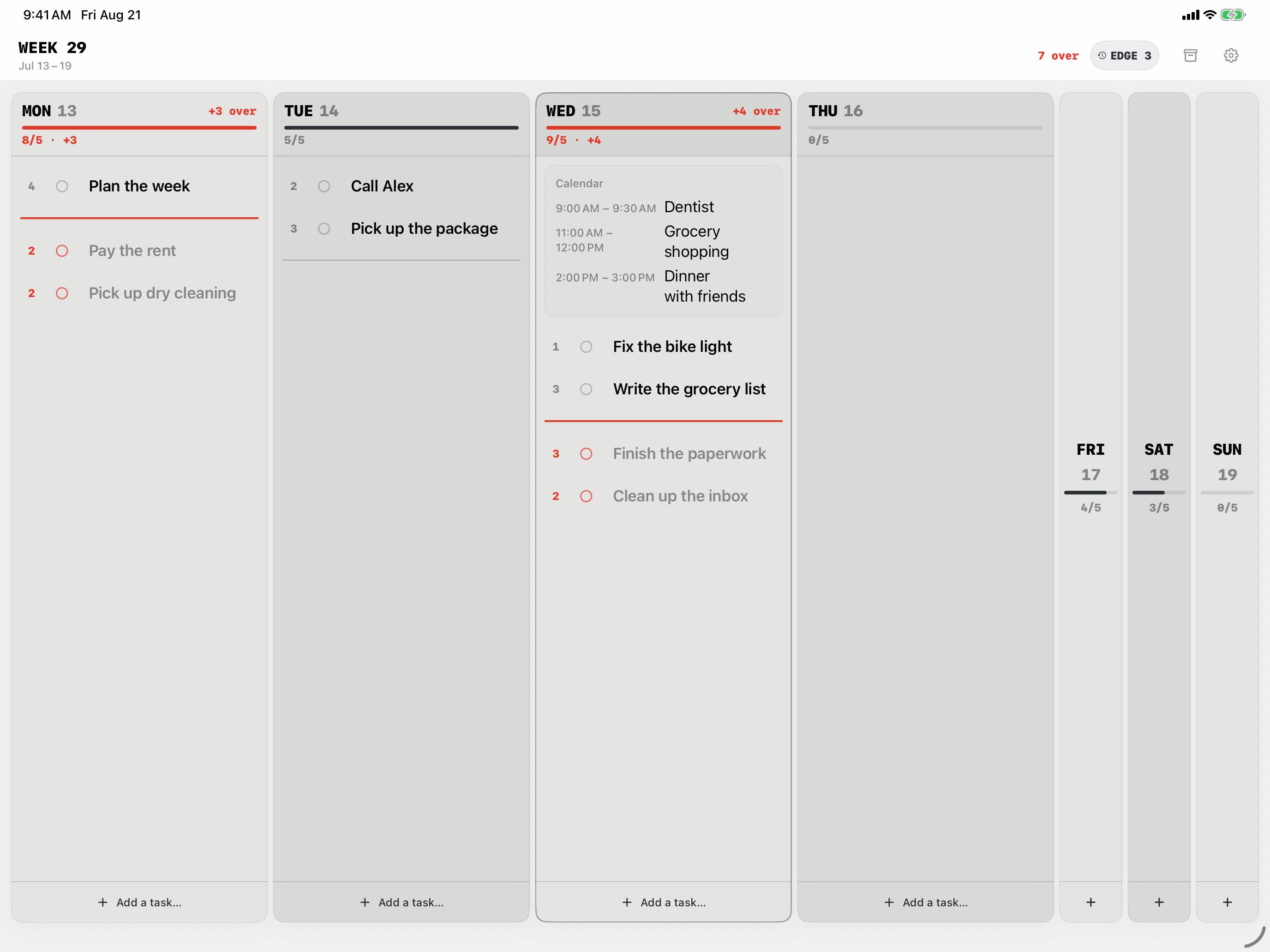
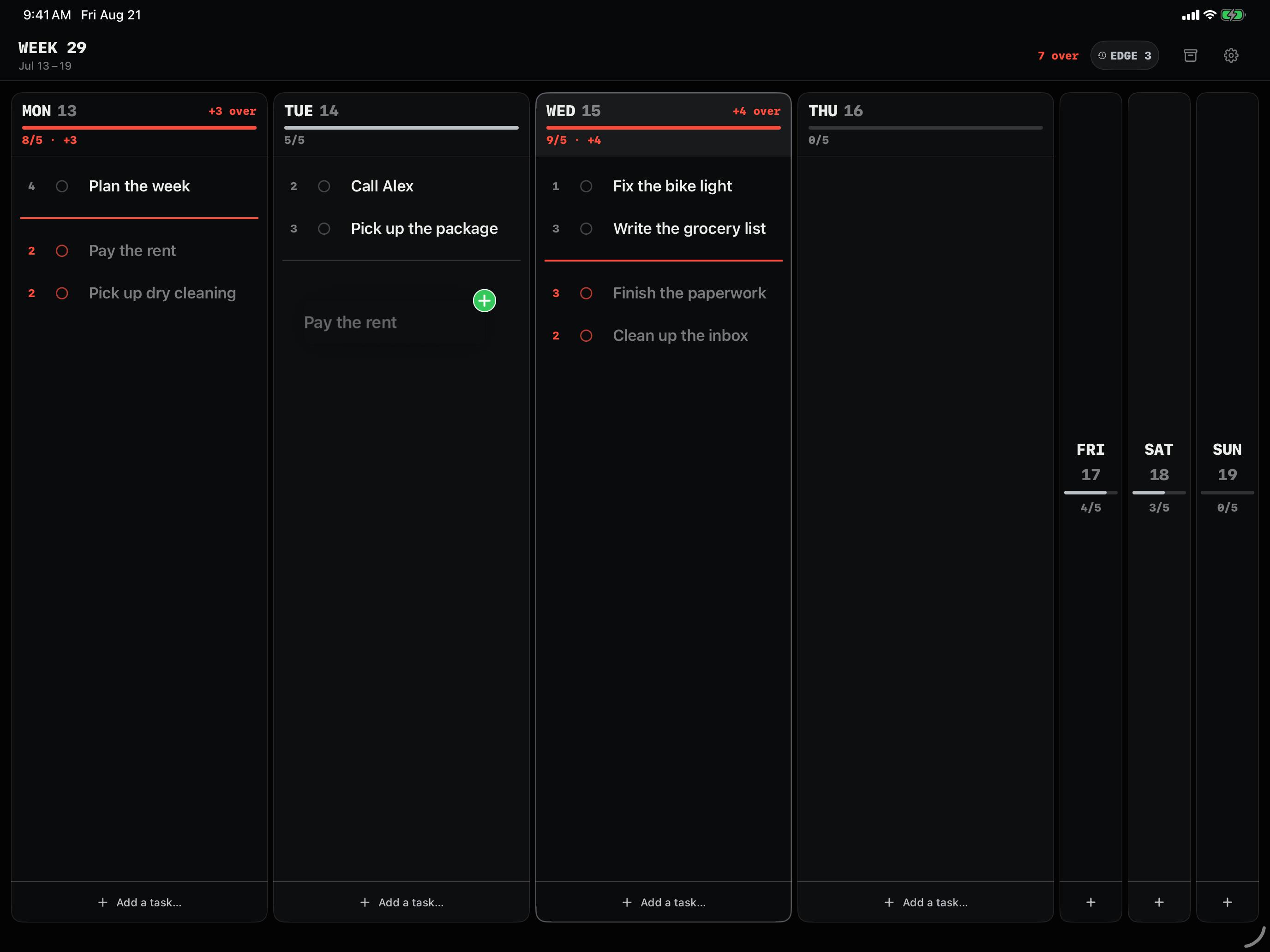
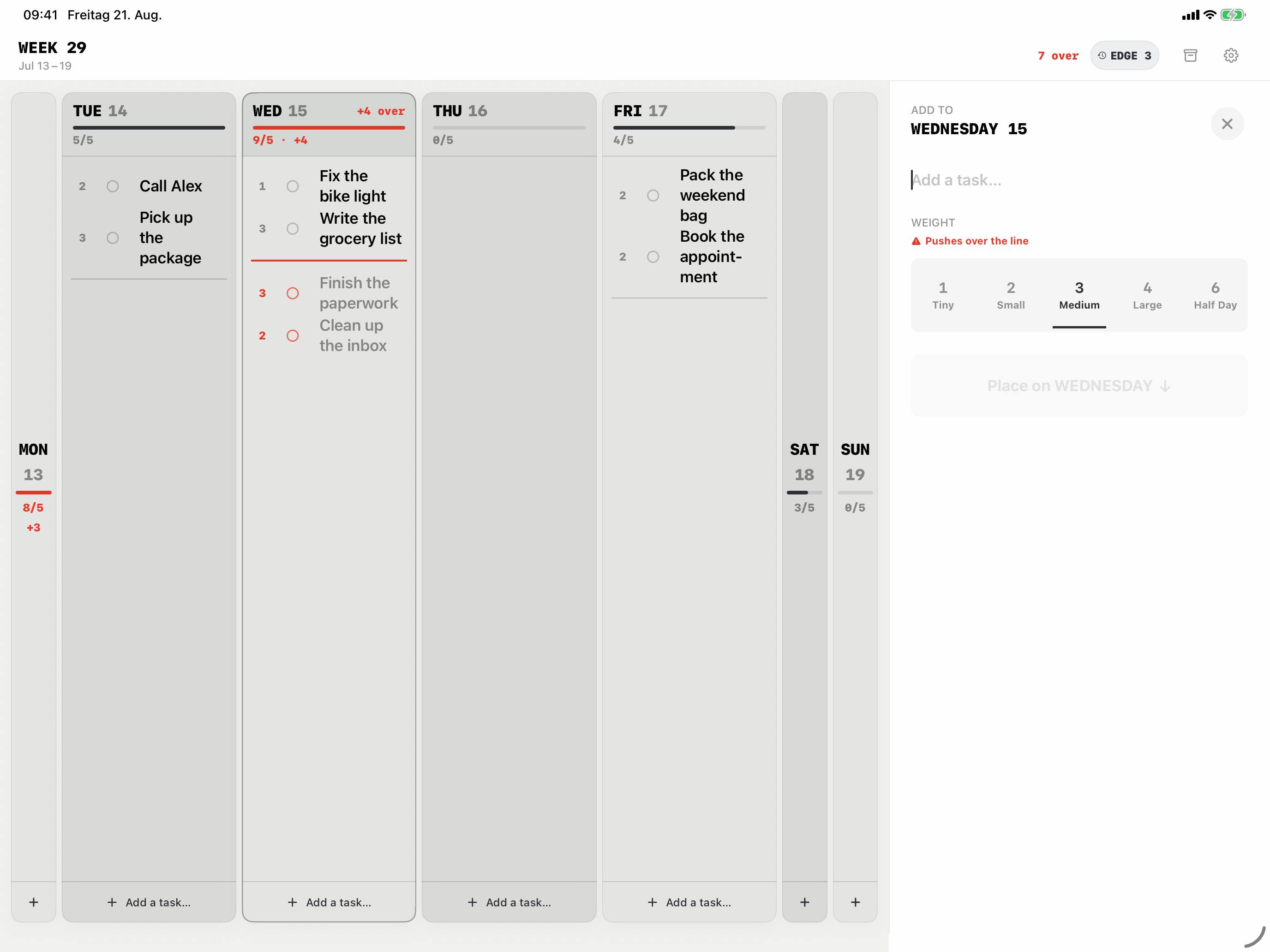
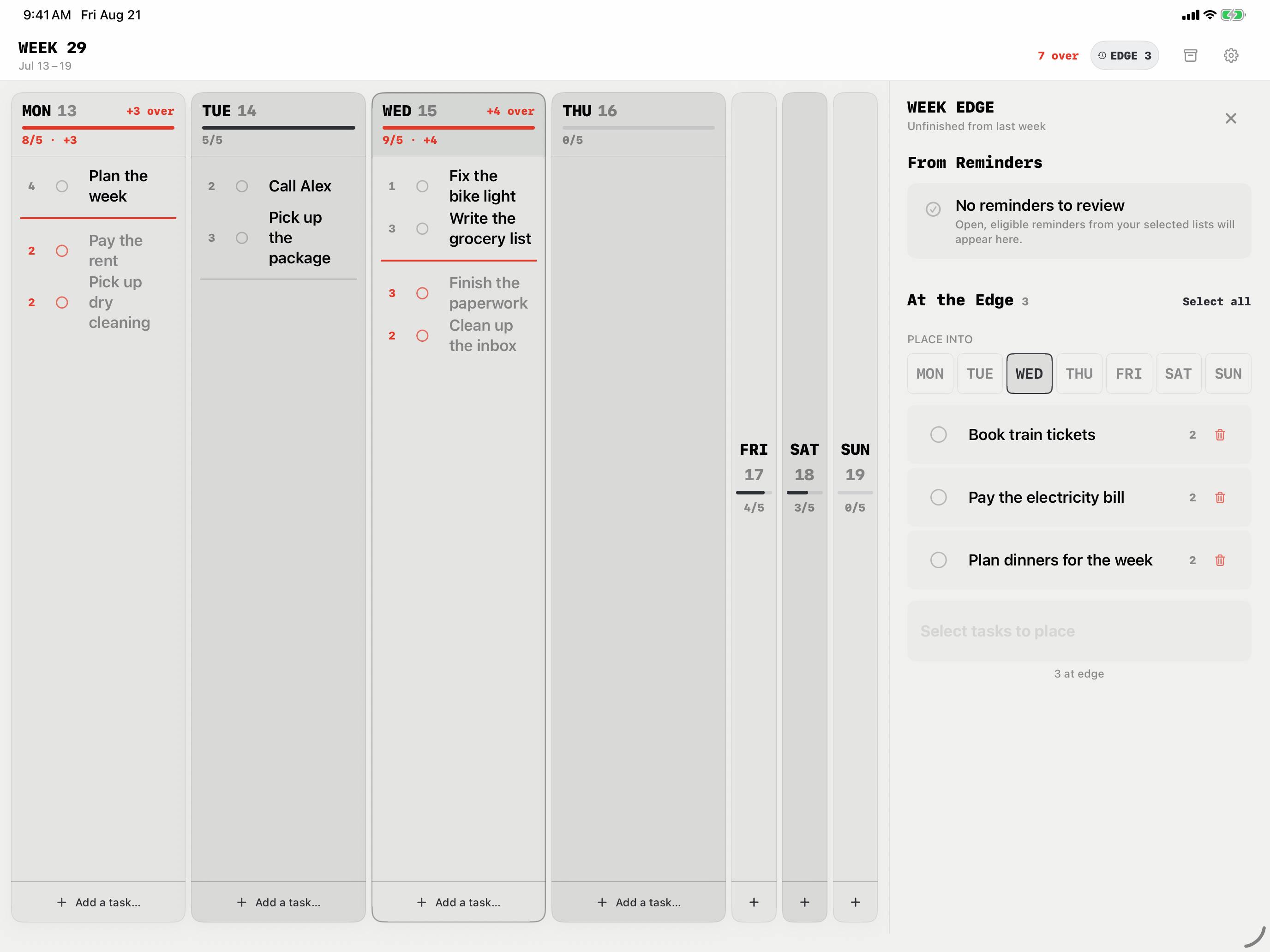
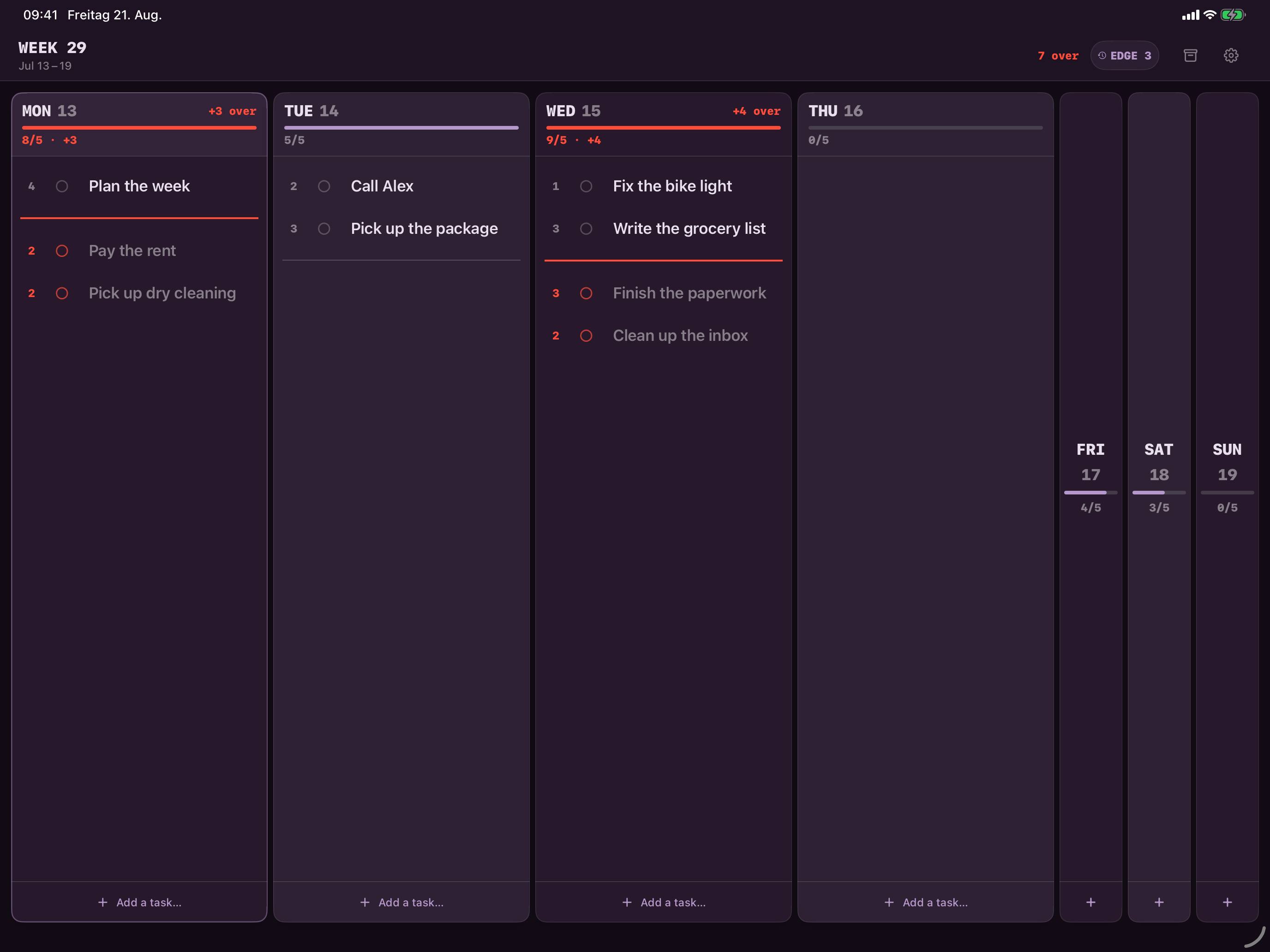
Monday and Wednesday are overbooked. What no longer fits sits below the red line.
What iPad changes
The whole week on one screen. On iPhone you expand one day at a time. On iPad you see, without scrolling, which day is overbooked and where there’s still room.
Replan with your finger. Drag a task from a packed Monday to an open Tuesday. The numbers above both columns update right away, say from 8/5 to 5/5.
Add tasks in a sidebar. New tasks open in a sidebar next to the week. You pick a size, from Tiny to Half Day, and see before saving whether it pushes the day over the line.
Your calendar in view. Events from the calendars you choose appear inside your days, so you can plan around them. Weekline doesn’t edit them or count them against your capacity.
The Week Edge in the sidebar. Open tasks and selected Apple Reminders wait there until you drag them onto a day.
One plan, two devices
Since version 1.5.2, Weekline is a Universal app. With iCloud Sync, you see the same week on iPhone and iPad, stored in your private iCloud storage. Without Sync, each device keeps its own plan. Either way, Weekline works offline.
On iPhone you keep the compact view: days stacked, today expanded. See how the capacity line works.
Questions about Weekline on iPad
Is Weekline for iPad a separate app?
No. It’s the same App Store app, and it runs on both iPhone and iPad.
Do I have to buy Weekline Pro again on iPad?
No. Weekline Pro is tied to your Apple ID. On your second device, tap “Restore Purchases” in Weekline.
Does Weekline sync between iPhone and iPad?
Yes, if you turn on iCloud Sync. Your data is then stored in your private iCloud storage. If you’ve already been planning separately on both devices, Weekline won’t merge the two plans automatically.
Which iPadOS version do I need?
Weekline requires iPadOS 17 or later.
Is there a Mac version?
No, Weekline is only available for iPhone and iPad.